Reports: Spooled Archive Ledger
Updated Jan 8th, 2026
Who is this guide for?
Accounts Users and Accounts Supervisors
This guide will go through the Spooled Archive Ledger report
This enables you to print the completed ledgers of archived matters which have been spooled.

Enable spooling of archived ledgers
To enable the spooling option, please go to the Supervisor area of Osprey, System Settings, Configuration Settings

and right-click Spool Archived Ledgers and choose Edit then change it from False to True.

Run the spooled archived ledgers report
Choose the currency that you wish to print and a list of all spooled ledgers for that currency will appear. Tick the ones you wish to print (or tick the top box to select all)
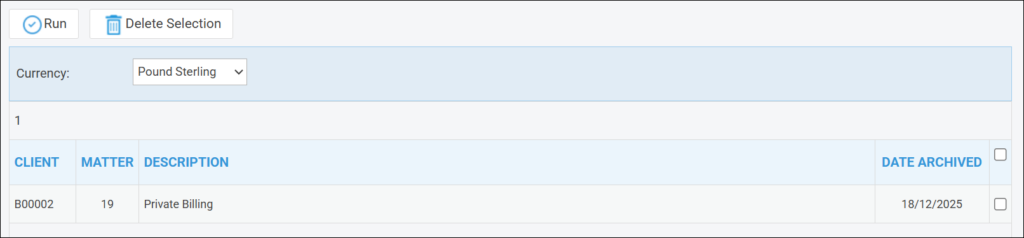
and click the Run button.
List of Columns produced
- Date
- Posting Detail
- Ref
- F/E
- VAT
- Office
- Balance
- Client
- Balance
- Disbs
- Balance
- Deposit
- Balance
- PD/Bill